Search Engine Optimization for Beginners: A Step-by-Step Guide
 Thu Nghiem
Struggling to get your website noticed? Learn the basics of SEO with this beginner-friendly guide. Discover how search engines work, key ranking factors, and actionable steps to improve your search rankings and drive organic traffic—no expertise required.
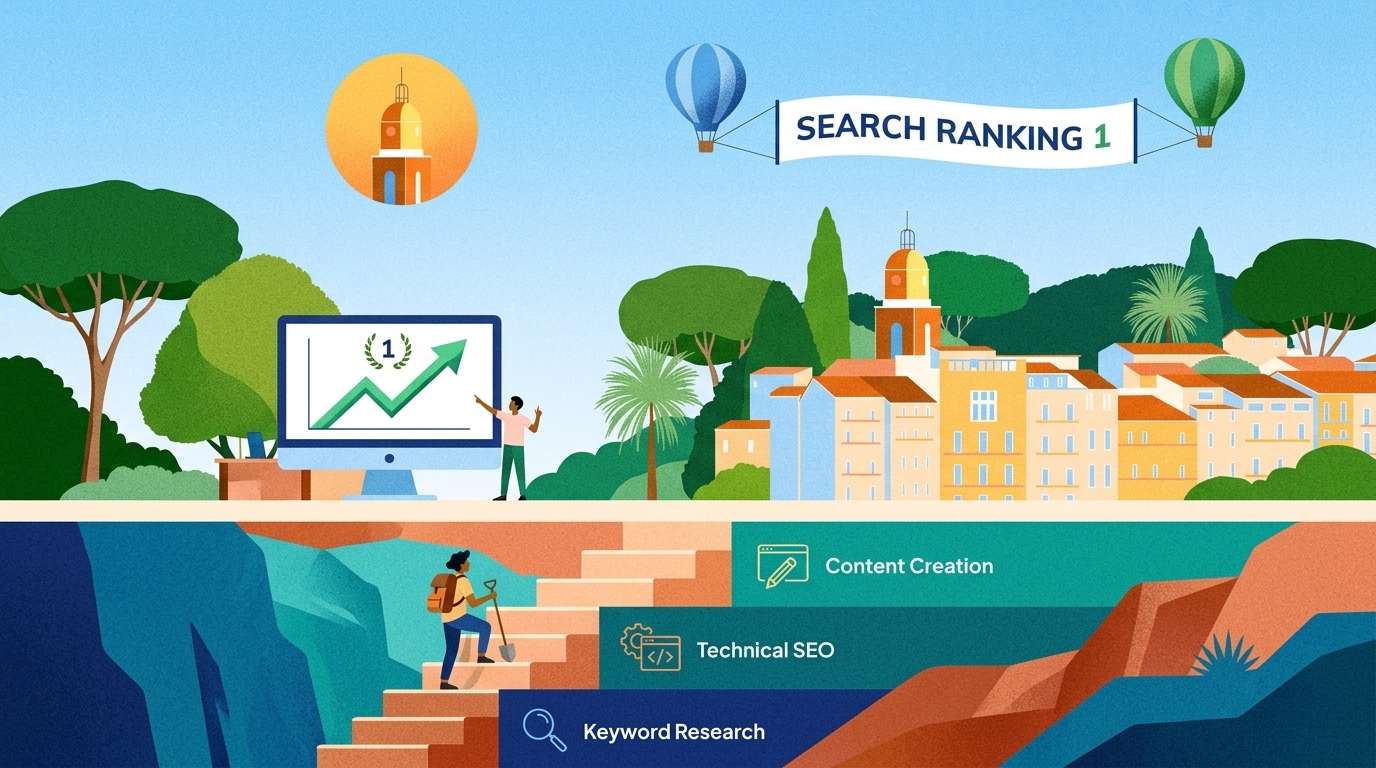
You’ve published a blog post, launched a website, or set up an online store—only to realize no one is finding it. The problem isn’t your content or your product; it’s visibility. That’s where search engine optimization (SEO) comes in. SEO helps your website appear in search results when people look for topics, products, or services like yours. The best part? You don’t need to be an expert to get started.
This guide breaks down SEO into simple, actionable steps. You’ll learn how search engines work, what ranking factors matter, and how to optimize your content—even if you’re brand new to digital marketing. By the end, you’ll have a clear roadmap to improve your search rankings and drive more organic traffic to your site.
What Is SEO and Why Does It Matter?
SEO stands for search engine optimization. It’s the process of improving your website so it ranks higher in search engine results pages (SERPs) like Google, Bing, or Yahoo. The goal is to attract organic (non-paid) traffic—visitors who find your site naturally through search.
Why SEO Is Essential for Your Website
- Cost-effective: Unlike paid ads, organic traffic doesn’t require a budget. Once your content ranks, it can keep bringing visitors for months or years.
- Builds credibility: Websites that appear on the first page of search results are often seen as more trustworthy.
- Long-term results: SEO is an investment. While it takes time to see results, the benefits compound over time.
- Better user experience: Many SEO practices (like improving site speed or mobile-friendliness) also make your site easier to use.
How Search Engines Work: A Quick Overview
Search engines like Google use three main processes to deliver results:
- Crawling: Bots (called spiders or crawlers) scan the web to discover new and updated content.
- Indexing: The discovered content is stored and organized in a massive database.
- Ranking: When someone searches for a term, the search engine sorts through its index to show the most relevant results.
Think of it like a library. Crawling is the librarian walking through the shelves to find new books. Indexing is cataloging those books so they can be found later. Ranking is deciding which books to recommend when someone asks for a topic.
Organic vs. Paid Search Results
- Organic results: These appear naturally based on relevance and authority. You can’t pay to rank here, but SEO helps you improve your position.
- Paid results: These are ads (marked with "Sponsored" or "Ad"). You pay for each click, but they appear at the top of the page instantly.
SEO focuses on organic results because they drive the majority of search traffic—about 53% of all website visits, according to recent data.
How Search Engines Work: The Basics
To optimize your site, you need to understand how search engines decide what to show users. Let’s break down the three key processes: crawling, indexing, and ranking.
Crawling: How Search Engines Discover Your Content
Crawling is how search engines find new and updated pages on the web. Here’s how it works:
- Bots: Search engines use automated programs (called crawlers or spiders) to scan the web.
- Links: Crawlers follow links from one page to another. If your site isn’t linked to from anywhere, crawlers may never find it.
- Sitemaps: A sitemap is a file that lists all the pages on your site. Submitting it to Google Search Console helps crawlers discover your content faster.
- Robots.txt: This file tells crawlers which pages they can or can’t access. For example, you might block a "Thank You" page from being indexed.
Pro tip: If your site is new, submit it to Google Search Console to speed up the crawling process.
Indexing: How Search Engines Store Your Content
Once a crawler discovers a page, the search engine tries to understand and store it in its index—a giant database of web pages. Not all pages get indexed. For example:
- Pages with thin or duplicate content may be ignored.
- Pages blocked by robots.txt or noindex tags won’t be indexed.
- Pages with poor user experience (e.g., slow loading) may rank lower.
How to check if your page is indexed: Type site:yourwebsite.com into Google. If your page appears, it’s indexed.
Ranking: How Search Engines Decide What to Show
When someone searches for a term, the search engine sorts through its index to show the most relevant results. Ranking depends on hundreds of factors, but the most important ones include:
- Relevance: Does your content match the user’s search intent? For example, if someone searches for "best running shoes for beginners," a blog post about running shoe brands will rank higher than a page selling dress shoes.
- Authority: Does your site have credibility? Authority is built through backlinks (links from other reputable sites) and high-quality content.
- User experience: Is your site fast, mobile-friendly, and easy to navigate? Google prioritizes sites that provide a good experience.
Common Misconceptions About SEO
- "SEO is a one-time task": SEO is ongoing. Search engines update their algorithms frequently, and competitors are always optimizing their content.
- "It’s all about keywords": While keywords matter, search engines now prioritize user intent and content quality over keyword density.
- "More backlinks = better rankings": Quality matters more than quantity. A few links from authoritative sites are better than hundreds of spammy links.
Key SEO Concepts Every Beginner Should Know
SEO can feel overwhelming because of the jargon. Let’s simplify the most important concepts you’ll encounter.
Keywords: The Foundation of SEO
What are keywords? Words or phrases people type into search engines. For example, "how to bake a chocolate cake" is a keyword.
Why do they matter? Keywords help search engines understand what your content is about. If you use the right keywords, your page is more likely to rank for relevant searches.
How to choose keywords:
- Search intent: What is the user looking for? Are they researching, comparing products, or ready to buy? Match your content to their intent.
- Informational: "How to tie a tie"
- Navigational: "YouTube login"
- Commercial: "Best laptops for graphic design"
- Transactional: "Buy Nike running shoes"
- Relevance: Does the keyword match your content? For example, if you write about "vegan recipes," targeting "best steak restaurants" won’t help.
- Competition: High-competition keywords (e.g., "best smartphones") are harder to rank for. Look for long-tail keywords—longer, more specific phrases with lower competition (e.g., "best smartphones for photography under $500").
Tools for keyword research:
- Google Keyword Planner (free): Shows search volume and competition.
- Ubersuggest (free/paid): Suggests keywords and analyzes competition.
- AnswerThePublic (free/paid): Shows questions people ask about a topic.
On-Page SEO: Optimizing Your Content
On-page SEO refers to optimizations you make on your website to improve rankings. Key elements include:
-
Meta titles and descriptions:
- Meta title: The clickable headline in search results. Keep it under 60 characters and include your primary keyword.
- Example: "SEO for Beginners: A Step-by-Step Guide to Ranking Higher"
- Meta description: The short summary below the title. Keep it under 160 characters and include a call to action.
- Example: "New to SEO? Learn the basics and start optimizing your website with this beginner-friendly guide."
- Meta title: The clickable headline in search results. Keep it under 60 characters and include your primary keyword.
-
Headers (H1, H2, H3):
- H1: The main title of your page (only one per page).
- H2/H3: Subheadings to organize content. Use keywords naturally.
- Example:
- H1: "How to Start a Blog in 2026"
- H2: "Choosing a Blogging Platform"
- H3: "WordPress vs. Squarespace"
- Example:
-
URL structure: Keep URLs short, descriptive, and keyword-rich.
- Good:
yourwebsite.com/seo-for-beginners - Bad:
yourwebsite.com/page123?id=456
- Good:
-
Image optimization:
- Use descriptive alt text (e.g., "woman running in Nike shoes" instead of "IMG_1234").
- Compress images to improve page speed (tools like TinyPNG or Squoosh).
- Use keyword-rich file names (e.g., "seo-for-beginners-guide.jpg").
-
Internal linking: Link to other pages on your site to improve navigation and keep visitors engaged.
- Example: "Learn more about keyword research in our detailed guide."
Off-Page SEO: Building Authority
Off-page SEO refers to actions taken outside your website to improve rankings. The most important factor is backlinks—links from other sites to yours.
Why backlinks matter: Search engines see backlinks as "votes of confidence." The more high-quality backlinks you have, the more authoritative your site appears.
How to build backlinks:
- Guest blogging: Write a post for another blog in your niche and include a link back to your site.
- Directories: Submit your site to reputable directories (e.g., Yelp, Google My Business).
- Social sharing: Share your content on social media to increase visibility and encourage others to link to it.
- Create link-worthy content: Publish original research, infographics, or in-depth guides that others will want to reference.
Avoid: Buying backlinks or using spammy tactics. These can get your site penalized by search engines.
Technical SEO: Behind-the-Scenes Optimizations
Technical SEO ensures your site is easy for search engines to crawl and index. Key areas include:
-
Site speed: Slow sites frustrate users and hurt rankings. Use tools like Google PageSpeed Insights to test and improve speed.
- Optimize images.
- Enable browser caching.
- Use a content delivery network (CDN).
-
Mobile-friendliness: Over 60% of searches happen on mobile. Use Google’s Mobile-Friendly Test to check your site.
-
Security: Use HTTPS (not HTTP) to encrypt data and protect users. Most hosting providers offer free SSL certificates.
-
Crawlability: Ensure search engines can access your site. Avoid blocking important pages with robots.txt or noindex tags.
User Experience (UX): Keeping Visitors Engaged
Search engines track how users interact with your site. If visitors leave quickly (high bounce rate) or spend little time on your page (low dwell time), it signals that your content isn’t valuable. To improve UX:
- Write clear, engaging content.
- Use short paragraphs and bullet points.
- Include images and videos to break up text.
- Make sure your site is easy to navigate.
Step-by-Step SEO Checklist for Beginners
Ready to start optimizing? Follow this checklist to improve your rankings step by step.
1. Keyword Research
- Use tools like Google Keyword Planner or Ubersuggest to find keywords.
- Look for long-tail keywords with low competition and high relevance.
- Prioritize keywords that match search intent (e.g., informational, commercial, transactional).
- Example: Instead of targeting "running shoes," try "best running shoes for flat feet."
2. On-Page Optimization
Meta Titles and Descriptions
- Write a compelling meta title (under 60 characters) with your primary keyword.
- Example: "Beginner’s Guide to SEO: How to Rank Higher in 2026"
- Write a meta description (under 160 characters) that includes a call to action.
- Example: "New to SEO? Learn the basics and start optimizing your website with this step-by-step guide."
Headers
- Use one H1 tag for your main title.
- Break content into sections with H2 and H3 subheadings.
- Include keywords naturally in headers.
URL Structure
- Keep URLs short and descriptive.
- Good:
yourwebsite.com/seo-for-beginners - Bad:
yourwebsite.com/page1?id=123
- Good:
Images
- Compress images to improve page speed.
- Use descriptive alt text (e.g., "woman using laptop for SEO research").
- Rename files with keywords (e.g., "seo-checklist-for-beginners.jpg").
Internal Linking
- Link to other relevant pages on your site.
- Use descriptive anchor text (e.g., "Learn more about keyword research").
3. Content Creation
- Write for user intent. Answer the question or solve the problem the searcher has.
- Aim for comprehensive content. Longer posts (1,500+ words) tend to rank better, but quality matters more than length.
- Use keywords naturally. Avoid keyword stuffing (overusing keywords unnaturally).
- Include examples, data, or case studies to add value.
- Update old content regularly to keep it fresh.
4. Technical SEO Basics
- Test your site speed with PageSpeed Insights and fix issues.
- Check mobile-friendliness with Google’s Mobile-Friendly Test.
- Submit your sitemap to Google Search Console.
- Ensure your site uses HTTPS (not HTTP).
5. Off-Page SEO
- Build backlinks by:
- Guest blogging on reputable sites.
- Submitting your site to directories.
- Sharing content on social media.
- Avoid spammy tactics like buying backlinks.
6. Track Your Progress
- Set up Google Analytics to monitor traffic.
- Use Google Search Console to track rankings and fix issues.
- Regularly check your site for broken links or errors.
Common SEO Mistakes to Avoid
Even small mistakes can hurt your rankings. Here are the most common pitfalls and how to avoid them.
1. Keyword Stuffing
What it is: Overusing keywords unnaturally in your content. Why it’s bad: Search engines penalize sites for keyword stuffing. It also makes your content hard to read. How to fix it: Use keywords naturally. Focus on writing for humans, not search engines.
2. Ignoring Mobile Optimization
What it is: Not ensuring your site works well on mobile devices. Why it’s bad: Over 60% of searches happen on mobile. Google uses mobile-first indexing, meaning it ranks sites based on their mobile version. How to fix it: Use Google’s Mobile-Friendly Test and fix any issues.
3. Neglecting Meta Descriptions
What it is: Leaving meta descriptions blank or using duplicates. Why it’s bad: Meta descriptions influence click-through rates (CTR). A compelling description can improve traffic even if your ranking stays the same. How to fix it: Write unique, engaging meta descriptions for every page.
4. Creating Thin or Low-Quality Content
What it is: Publishing short, vague, or unoriginal content. Why it’s bad: Search engines prioritize high-quality content that answers user queries thoroughly. How to fix it: Aim for in-depth, well-researched content. Use examples, data, and actionable advice.
5. Forgetting to Track Progress
What it is: Not monitoring your rankings, traffic, or conversions. Why it’s bad: Without tracking, you won’t know what’s working or what needs improvement. How to fix it: Set up Google Analytics and Google Search Console. Check your data regularly.
6. Overlooking Technical SEO
What it is: Ignoring site speed, crawlability, or security. Why it’s bad: Technical issues can prevent your site from ranking, even if your content is great. How to fix it: Audit your site regularly using tools like Screaming Frog or Ahrefs.
Tools and Resources to Get Started with SEO
You don’t need expensive tools to start with SEO. Here are some beginner-friendly options:
Free Tools
- Google Search Console: Monitor your site’s performance, fix errors, and submit sitemaps.
- Google Analytics: Track traffic, user behavior, and conversions.
- Ubersuggest: Find keywords, analyze competition, and get content ideas.
- AnswerThePublic: Discover questions people ask about a topic.
- PageSpeed Insights: Test and improve your site speed.
- Mobile-Friendly Test: Check if your site works well on mobile devices.
Paid Tools (Worth the Investment)
- Ahrefs: Comprehensive SEO tool for keyword research, backlink analysis, and site audits.
- SEMrush: All-in-one tool for SEO, content marketing, and competitive research.
- Moz Pro: Offers keyword research, rank tracking, and site audits.
Learning Resources
- Google’s SEO Starter Guide: A free, official guide from Google.
- Moz Blog: In-depth articles on SEO best practices.
- Backlinko: Actionable SEO tips and case studies.
- YouTube Channels:
- Communities:
- Reddit’s r/SEO
- Facebook groups like "SEO Signals Lab"
Next Steps: How to Keep Learning and Improving
SEO is a marathon, not a sprint. Here’s how to keep growing your skills:
Stay Updated with SEO Trends
Search engines update their algorithms frequently. Follow industry blogs and news sites to stay informed:
Practice on a Real Project
The best way to learn SEO is by doing. Start a blog, optimize a small business website, or help a friend with their site. Track your progress and adjust your strategy based on what works.
Join SEO Communities
Engage with other SEO professionals to ask questions and share insights:
- Reddit’s r/SEO
- Facebook groups like "SEO Signals Lab"
- LinkedIn groups for digital marketers
Experiment and Iterate
SEO isn’t one-size-fits-all. What works for one site may not work for another. Test different strategies, track your results, and refine your approach over time.
Start Small and Scale Up
Don’t try to do everything at once. Focus on one area at a time (e.g., keyword research, on-page SEO, or backlinks). As you gain confidence, expand your efforts.
Final Thoughts
SEO can seem complex at first, but it’s built on simple principles: create valuable content, optimize for users and search engines, and build authority over time. You don’t need to be an expert to see results—just start with the basics and keep learning.
Remember:
- SEO is a long-term strategy. Don’t expect overnight success.
- Focus on quality over shortcuts. High-quality content and a great user experience will always win.
- Track your progress and adjust your approach as you learn.
Now it’s your turn. Pick one item from the checklist and start optimizing your site today. With time and practice, you’ll see your rankings—and your traffic—climb.