SEO Tips: Proven Strategies to Boost Your Search Rankings
 Thu Nghiem
Discover actionable SEO tips to improve your search rankings in 2026. Learn technical SEO fundamentals, on-page optimization, content quality, and how AI is reshaping the SEO landscape—without the jargon.
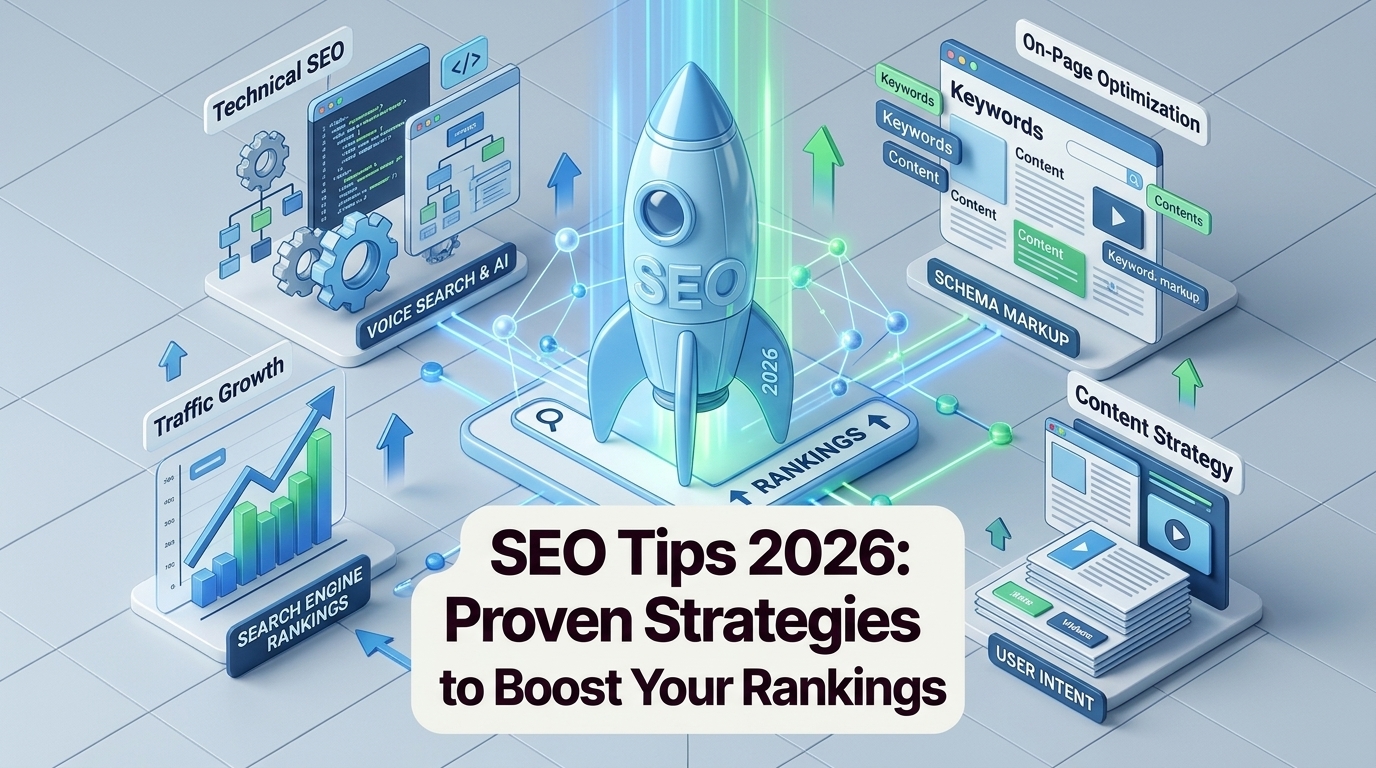
SEO isn’t about tricks. It’s about making a good website that helps users and follows search engine rules.
In 2026, SEO is still a great way to get free visitors. But the methods have changed. Google now cares more about:
- Good user experience
- Real expertise
- What users actually want
Old tricks like stuffing keywords or using bad links don’t work anymore.
This guide covers actionable SEO tips to improve your search rankings, whether you’re a beginner or looking to refine your strategy. We’ll break down technical fundamentals, on-page optimization, content quality, off-page authority, and how AI is reshaping the landscape—without overwhelming you with jargon.
Why SEO Still Matters in 2026
SEO isn’t dead—it’s just smarter. While paid ads can deliver quick traffic, organic search remains the backbone of sustainable growth for most businesses. Here’s why:
- Cost efficiency: Organic traffic doesn’t require a per-click budget. Once you rank, you keep earning visits without ongoing ad spend.
- Long-term ROI: A well-optimized page can drive traffic for years, while ads stop the moment you pause them.
- Trust and credibility: Users trust organic results more than ads. Ranking on the first page signals authority in your niche.
- Google’s evolving algorithms: Updates like E-E-A-T (Experience, Expertise, Authoritativeness, Trustworthiness) and AI overviews (Google’s AI-generated answers) reward high-quality, user-focused content.
The shift from "SEO as a hack" to "SEO as a core business strategy" means focusing on value, not manipulation. If your content doesn’t help users, no amount of technical tweaks will save it.
Technical SEO: The Foundation
Technical SEO ensures search engines can crawl, index, and understand your site. Without a solid foundation, even the best content may go unnoticed. Here’s what to prioritize:
Site Speed and Core Web Vitals
Google’s Core Web Vitals measure user experience based on three metrics:
- Largest Contentful Paint (LCP): How long it takes for the main content to load (aim for <2.5 seconds).
- First Input Delay (FID): How quickly the page responds to user interactions (aim for <100 milliseconds).
- Cumulative Layout Shift (CLS): How much the page layout shifts during loading (aim for <0.1).
Tools to measure and improve speed:
Quick fixes:
- Compress images (use TinyPNG or ShortPixel).
- Enable browser caching.
- Minify CSS, JavaScript, and HTML.
- Use a content delivery network (CDN) like Cloudflare.
Mobile-First Indexing
Google now indexes and ranks sites based on their mobile version. If your site isn’t mobile-friendly, you’re losing rankings.
Checklist:
- Use responsive design (test with Google’s Mobile-Friendly Test).
- Ensure touch targets (buttons, links) are at least 48x48 pixels.
- Avoid intrusive interstitials (pop-ups that block content).
- Test load times on 3G/4G connections.
Crawlability and Indexing
Search engines need to find and understand your content. Common issues include:
- Broken links: Use Screaming Frog to audit and fix 404 errors.
- Robots.txt: Ensure it’s not blocking critical pages (check with Google’s robots.txt Tester).
- XML sitemaps: Submit one via Google Search Console to help Google discover pages.
Structured Data (Schema Markup)
Schema markup helps search engines understand your content and can earn you rich snippets (e.g., star ratings, FAQs, breadcrumbs).
Common schema types:
- Article: For blog posts and news.
- FAQ: For question-and-answer content.
- Breadcrumb: For navigation paths.
- Review: For product or service ratings.
Tools to generate schema:
Example of FAQ schema:
<script type="application/ld+json">
{
  "@context": "https://schema.org",
  "@type": "FAQPage",
  "mainEntity": [{
    "@type": "Question",
    "name": "What are Core Web Vitals?",
    "acceptedAnswer": {
      "@type": "Answer",
      "text": "Core Web Vitals are a set of metrics that measure user experience, including loading speed, interactivity, and visual stability."
    }
  }]
}
</script>
On-Page SEO: Optimizing for Humans and Search Engines
On-page SEO involves optimizing individual pages to rank higher and earn more relevant traffic. It’s about balancing search engine requirements with a great user experience.
Keyword Research
Keyword research is the foundation of on-page SEO. The goal isn’t to stuff keywords but to understand what users are searching for and how to meet their needs.
Tools for keyword research:
- Google Keyword Planner (free).
- Ahrefs or SEMrush (paid, but more robust).
- AnswerThePublic (for question-based keywords).
How to find low-competition, high-intent keywords:
- Start with a seed keyword (e.g., "SEO tips").
- Look for long-tail variations (e.g., "SEO tips for small businesses").
- Check search volume and competition (aim for keywords with 100–1,000 monthly searches and low difficulty).
- Analyze the top-ranking pages to see what’s missing (e.g., depth, examples, multimedia).
Example: Instead of targeting "SEO," which is highly competitive, target "SEO strategies for beginners" or "how to improve SEO for a blog."
Content Depth and Value
Google rewards content that thoroughly answers user queries. But "comprehensive" doesn’t mean "long"—it means covering the topic in a way that satisfies the user’s intent.
How to create valuable content:
- Answer the user’s question fully: If someone searches "how to improve site speed," your content should cover tools, techniques, and examples—not just a vague overview.
- Use data and examples: Include case studies, statistics, or step-by-step guides.
- Update old content: Refresh outdated posts with new information, examples, or multimedia.
- Avoid fluff: Every sentence should add value. If it doesn’t, cut it.
Example: A post titled "10 SEO Tips for Beginners" should include:
- Clear explanations of each tip.
- Screenshots or examples (e.g., a before/after meta description).
- Links to tools or further reading.
Title Tags and Meta Descriptions
Title tags and meta descriptions are your first impression in search results. They should be compelling, accurate, and include your target keyword.
Best practices for title tags:
- Keep it under 60 characters (Google truncates longer titles).
- Include the primary keyword near the beginning.
- Make it click-worthy (e.g., "SEO Tips: 10 Proven Strategies to Boost Rankings" vs. "SEO Tips").
Best practices for meta descriptions:
- Keep it under 160 characters.
- Include the primary keyword and a call to action (e.g., "Learn how to improve your SEO with these 10 actionable tips").
- Avoid duplicate descriptions across pages.
Example: Before: Title: SEO Tips | BlogMeta: Learn about SEO tips.
After: Title: SEO Tips: 10 Proven Strategies to Boost Rankings in 2026Meta: Discover actionable SEO tips to improve your search rankings, from technical SEO to content quality. Start optimizing today!
Header Hierarchy (H1–H6)
Headers help structure your content for readability and SEO. Use them to break up text and signal importance to search engines.
Best practices:
- H1: Only one per page (your main title).
- H2: Major sections (e.g., "Technical SEO: The Foundation").
- H3: Subsections (e.g., "Site Speed and Core Web Vitals").
- Avoid skipping levels (e.g., don’t jump from H2 to H4).
Example:
# SEO Tips: Proven Strategies to Boost Your Search Rankings (H1)
## Technical SEO: The Foundation (H2)
### Site Speed and Core Web Vitals (H3)
Internal Linking
Internal links help users navigate your site and distribute page authority (ranking power) across your pages.
Strategies for internal linking:
- Link to related content (e.g., in this guide, link to a post about "how to create an XML sitemap").
- Use descriptive anchor text (e.g., "learn more about keyword research" vs. "click here").
- Prioritize links to high-value pages (e.g., your best-performing blog posts or product pages).
Example: In a post about "SEO for beginners," you might link to:
- A guide on "how to use Google Search Console."
- A case study on "how we improved our site speed by 50%."
Image Optimization
Images can slow down your site and hurt rankings if not optimized. Follow these tips:
Best practices:
- File names: Use descriptive names (e.g.,
seo-tips-checklist.pngvs.image1.png). - Alt text: Describe the image for accessibility and SEO (e.g., "A checklist of on-page SEO tips").
- Compression: Reduce file size without sacrificing quality (use TinyPNG or ShortPixel).
- Format: Use WebP for modern browsers (smaller file sizes than JPEG/PNG).
Example: Before: File name: DSC1234.jpgAlt text: Image
After: File name: seo-checklist-for-beginners.webpAlt text: A checklist of 10 on-page SEO tips for beginners
Content Quality: The King (and Queen) of SEO
Great content is the cornerstone of SEO. Google’s algorithms prioritize pages that demonstrate E-E-A-T (Experience, Expertise, Authoritativeness, Trustworthiness). Here’s how to create content that ranks and converts:
E-E-A-T: What It Means and How to Demonstrate It
Google wants to rank content from credible sources. To meet E-E-A-T standards:
- Experience: Show firsthand knowledge (e.g., case studies, personal anecdotes).
- Expertise: Cite sources, include author bios, and link to reputable sites.
- Authoritativeness: Build backlinks from trusted sites and earn mentions in industry publications.
- Trustworthiness: Be transparent (e.g., disclose affiliations, correct errors promptly).
Example: A post about "how to choose a web hosting provider" should:
- Include real-world examples (e.g., "We tested 5 hosts and found X to be the fastest").
- Link to authoritative sources (e.g., Google’s Webmaster Guidelines).
- Have an author bio with relevant credentials (e.g., "Jane Doe, SEO Specialist with 10 years of experience").
User Intent: Matching Content to Search Queries
User intent refers to the reason behind a search query. There are four main types:
- Informational: The user wants to learn (e.g., "how to improve SEO").
- Navigational: The user wants to find a specific site (e.g., "Google Search Console login").
- Commercial: The user wants to compare options (e.g., "best SEO tools 2026").
- Transactional: The user wants to buy (e.g., "buy SEO software").
How to match intent:
- Informational: Create in-depth guides, tutorials, or FAQs.
- Commercial: Write comparison posts, reviews, or "best of" lists.
- Transactional: Optimize product pages with clear CTAs (e.g., "Buy Now").
Example: For the query "how to improve site speed," an informational post might include:
- A step-by-step guide.
- Tools to measure speed.
- Case studies of sites that improved their speed.
Freshness: Updating Old Content vs. Creating New Content
Google favors fresh, up-to-date content. But that doesn’t mean you need to publish new posts constantly. Instead:
- Update old content: Refresh outdated statistics, add new examples, or expand sections.
- Create new content: Cover emerging trends (e.g., "how AI is changing SEO in 2026").
When to update vs. create:
- Update: If the post is still relevant but needs minor tweaks (e.g., a 2023 guide to SEO tools).
- Create new: If the topic has evolved significantly (e.g., "how AI overviews are changing search").
Multimedia: Engaging Users and Reducing Bounce Rates
Multimedia (videos, infographics, interactive elements) can improve engagement and keep users on your site longer.
Best practices:
- Videos: Embed relevant videos (e.g., a tutorial on "how to use Google Search Console").
- Infographics: Visualize data or processes (e.g., "The anatomy of a high-ranking blog post").
- Interactive elements: Add quizzes, calculators, or polls (e.g., "What’s your SEO score?").
Example: A post about "SEO tips for beginners" could include:
- A video walkthrough of setting up Google Analytics.
- An infographic summarizing the tips.
- A checklist users can download.
Off-Page SEO: Building Authority Beyond Your Site
Off-page SEO involves actions taken outside your website to improve its authority and rankings. The most important factor is backlinks, but social signals and local SEO also play a role.
Backlinks: Earning High-Quality Links
Backlinks are like votes of confidence from other sites. The more high-quality links you earn, the more authority your site gains.
White-hat strategies for earning backlinks:
- Guest posting: Write for reputable sites in your niche (e.g., "5 SEO Tips for E-Commerce Sites" on a marketing blog).
- Digital PR: Get featured in industry publications (e.g., "How We Grew Organic Traffic by 200%").
- Broken link building: Find broken links on other sites and suggest your content as a replacement.
- Skyscraper technique: Create better content than what’s already ranking and ask sites linking to the original to link to yours.
Tools for backlink analysis:
- Ahrefs (for competitor backlink profiles).
- Moz Link Explorer (for domain authority).
- Google Search Console (for tracking your backlinks).
Example: If you write a guide on "SEO for small businesses," you might:
- Pitch it as a guest post to a marketing blog.
- Share it with journalists covering small business trends.
- Find broken links to outdated SEO guides and suggest your post as a replacement.
Social Signals: How Social Media Impacts SEO
Social media doesn’t directly impact rankings, but it can indirectly boost SEO by:
- Increasing brand awareness: More searches for your brand = higher rankings.
- Driving traffic: Social shares can lead to more backlinks and engagement.
- Building relationships: Engaging with influencers can lead to guest posting or collaboration opportunities.
Best practices:
- Share your content on platforms like LinkedIn, Twitter, and Facebook.
- Encourage engagement (e.g., ask questions, run polls).
- Use hashtags to increase visibility (e.g., #SEO #DigitalMarketing).
Local SEO: Optimizing for "Near Me" Searches
If you have a physical location or serve a specific area, local SEO is critical. It helps you rank for "near me" searches (e.g., "SEO agency near me").
Key strategies:
- Google Business Profile: Claim and optimize your listing (add photos, hours, and services).
- Citations: Ensure your business name, address, and phone number (NAP) are consistent across directories (e.g., Yelp, Yellow Pages).
- Reviews: Encourage customers to leave reviews (respond to them promptly).
- Local keywords: Include location-based keywords (e.g., "SEO tips for London businesses").
Example: A local bakery might optimize for:
- "Best bakery in [city]."
- "[City] gluten-free pastries."
- "Wedding cakes near me."
AI and SEO: What’s Changing (and What’s Not)
AI is transforming SEO, from content creation to search results. Here’s what you need to know:
AI-Generated Content: Risks and Responsible Use
AI tools like ChatGPT can help with ideation, outlines, and even drafting content. But over-reliance on AI comes with risks:
- Low-quality content: AI can produce generic, unoriginal text that doesn’t meet E-E-A-T standards.
- Google’s stance: Google penalizes "spammy automatically-generated content" but rewards AI-assisted content that adds value.
How to use AI responsibly:
- Editing: Use AI to refine your writing (e.g., Grammarly for grammar checks).
- Ideation: Generate topic ideas or outlines (e.g., "10 blog post ideas about SEO").
- Research: Summarize data or trends (e.g., "What are the latest SEO trends in 2026?").
Example: Instead of publishing an AI-generated post titled "SEO Tips," use AI to:
- Generate an outline.
- Draft a rough introduction.
- Suggest examples or statistics to include.
Google’s AI Overviews: Optimizing for Featured Snippets
Google’s AI overviews (formerly "featured snippets") are AI-generated answers that appear at the top of search results. To optimize for them:
- Answer questions directly: Use clear, concise language (e.g., "What are Core Web Vitals?" followed by a 1–2 sentence answer).
- Use structured data: FAQ and how-to schema can help your content appear in AI overviews.
- Target long-tail keywords: AI overviews often pull answers from question-based queries (e.g., "how to improve site speed").
Example: For the query "how to improve site speed," an AI overview might pull from a post that includes:
- A bullet-point list of quick fixes.
- A step-by-step guide with screenshots.
- A video tutorial.
Voice Search: Long-Tail Keywords and Conversational Queries
Voice search is growing, and it favors conversational, long-tail keywords (e.g., "What are the best SEO tips for a small business?" vs. "SEO tips").
How to optimize for voice search:
- Target question-based queries: Use tools like AnswerThePublic to find common questions.
- Write naturally: Use conversational language (e.g., "Here’s how to improve your SEO" vs. "SEO improvement techniques").
- Optimize for local searches: Voice searches often include "near me" (e.g., "SEO agency near me").
Example: A post titled "SEO Tips for Small Businesses" could include a section like: "What are the best SEO tips for a small business?"
- Focus on local SEO.
- Optimize for mobile.
- Create high-quality content.
Measuring Success: SEO KPIs to Track
SEO isn’t a "set it and forget it" strategy. You need to track key performance indicators (KPIs) to measure progress and identify areas for improvement.
Traffic Metrics
- Organic sessions: The number of visits from search engines.
- Bounce rate: The percentage of visitors who leave after viewing one page (aim for <70%).
- Time on page: How long users spend on your site (higher = more engaging content).
- Pages per session: The average number of pages viewed per visit (higher = better navigation).
Tools:
Ranking Metrics
- Keyword positions: Track where your pages rank for target keywords.
- SERP features: Monitor whether your content appears in featured snippets, "People Also Ask," or AI overviews.
- Impressions: The number of times your site appears in search results.
Tools:
Conversion Metrics
- Goal completions: Track actions like sign-ups, downloads, or purchases.
- Conversion rate: The percentage of visitors who complete a goal (e.g., 5% of visitors sign up for your newsletter).
- Revenue: If applicable, track revenue generated from organic traffic.
Tools:
Common SEO Mistakes to Avoid
Even experienced marketers make mistakes. Here are some of the most common—and how to avoid them:
- Keyword stuffing: Overusing keywords makes your content unreadable. Focus on natural language and user intent.
- Ignoring mobile users: If your site isn’t mobile-friendly, you’re losing rankings and traffic.
- Neglecting technical SEO: Slow site speed, broken links, and duplicate content hurt rankings.
- Chasing trends without a strategy: Don’t jump on every new tactic (e.g., AI-generated content) without a plan.
- Buying backlinks or using PBNs: Google penalizes manipulative link-building tactics. Focus on earning high-quality links naturally.
Next Steps: Your 30-Day SEO Action Plan
Ready to put these SEO tips into action? Here’s a 30-day plan to get started:
Week 1: Audit Your Site
- Technical SEO: Run a site audit with Screaming Frog or Ahrefs.
- Content audit: Identify thin or outdated content (use Google Analytics to find low-performing pages).
- Keyword research: Use Google Keyword Planner to find 10–20 target keywords.
Week 2: Fix Critical Issues
- Technical fixes: Improve site speed, fix broken links, and submit an XML sitemap.
- Content updates: Refresh 2–3 old posts with new information, examples, or multimedia.
- On-page SEO: Optimize title tags, meta descriptions, and headers for your target keywords.
Week 3: Optimize Top-Performing Pages
- Internal linking: Add links to related content on your top 5–10 pages.
- Structured data: Add schema markup to 1–2 pages (e.g., FAQ or review schema).
- Image optimization: Compress images and add alt text to 5–10 images.
Week 4: Build Backlinks and Promote Content
- Guest posting: Pitch 1–2 guest posts to reputable sites in your niche.
- Digital PR: Share a case study or success story with industry publications.
- Social media: Promote your updated content on LinkedIn, Twitter, and Facebook.
Final Thoughts
SEO isn’t about gaming the system—it’s about creating a website that users love and search engines can understand. By focusing on technical fundamentals, high-quality content, and user experience, you’ll build a sustainable strategy that drives organic traffic for years to come.
Start with the 30-day action plan, track your progress, and refine your approach as you go. The key to SEO success is consistency: keep learning, keep optimizing, and keep delivering value to your audience.