AI Tools for Social Media Content: Boost Engagement & Efficiency
 Thu Nghiem
Discover how AI tools for social media content can automate tasks, personalize engagement, and turn data into actionable insights—helping you save time and boost results in 2026.
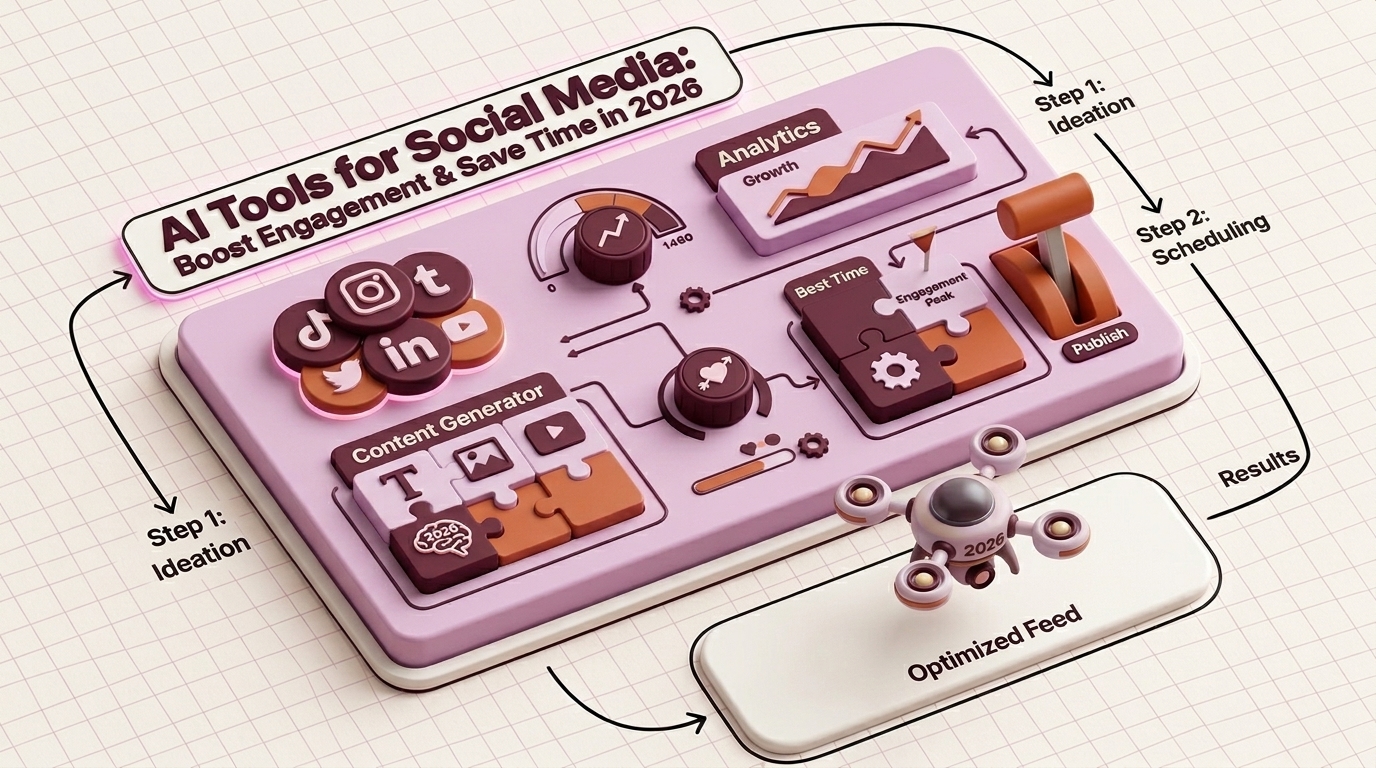
Social media moves fast. Posting consistently, crafting engaging captions, analyzing performance, and keeping up with trends can feel like a full-time job—even for teams. For small businesses and solo marketers, it’s often overwhelming.
AI tools for social media content are changing the game. They don’t replace creativity—they amplify it. By automating repetitive tasks, generating fresh ideas, and uncovering data-driven insights, AI helps marketers work smarter, not harder. The result? More time to focus on strategy, stronger engagement, and measurable growth.
This guide explores how AI-powered tools can transform your social media workflow. You’ll learn which tools fit your needs, how to implement them, and what the future holds for AI in social media marketing.
Why AI Tools Are a Game-Changer for Social Media Content
Social media managers face a common set of challenges:
- Content fatigue: Coming up with fresh ideas daily is exhausting.
- Inconsistency: Posting sporadically hurts reach and engagement.
- Time sinks: Manual scheduling, reporting, and engagement eat up hours.
- Data overload: Analytics dashboards are packed with metrics—but which ones matter?
AI tools address these pain points by automating tasks, personalizing content, and turning raw data into actionable insights. Here’s how:
Automation Saves Time
AI handles repetitive tasks like scheduling posts, generating captions, or even responding to common DMs. For example, tools like Buffer’s AI Assistant can draft captions in seconds, freeing up time for strategy or creative work.
Personalization Drives Engagement
AI analyzes audience behavior to suggest content that resonates. Platforms like Sprout Social use predictive analytics to recommend optimal posting times or content formats (e.g., Reels vs. carousels) based on past performance.
Data-Driven Decisions Replace Guesswork
Instead of relying on intuition, AI tools provide insights like:
- Which hashtags perform best for your niche.
- Sentiment analysis of comments (e.g., positive, negative, or neutral).
- Competitor benchmarking to identify gaps in your strategy.
Adoption Is Growing—Fast
AI isn’t a futuristic concept—it’s already here. According to a 2025 report by HubSpot, 68% of marketers use AI tools for social media, and 72% of those report higher engagement rates. Brands leveraging AI see:
- 30% less time spent on content creation (e.g., generating captions, images, or videos).
- 25% increase in engagement (likes, shares, comments) due to data-driven optimizations.
- 40% faster response times to customer inquiries via AI-powered chatbots.
AI isn’t about replacing human marketers—it’s about giving them superpowers. The question isn’t whether to adopt AI, but how to use it effectively.
Top Categories of AI Tools for Social Media
AI tools for social media fall into five key categories. Below, we break down each category, highlight standout tools, and explain how they fit into your workflow.
1. Content Creation: AI-Generated Captions, Images, and Videos
Creating high-quality content consistently is one of the biggest hurdles for marketers. AI tools can generate captions, design graphics, or even produce short videos—saving hours of work.
Tools to Try
| Tool | Key Features | Best For | Pricing (2026) |
|---|---|---|---|
| Jasper | AI-powered caption generation, blog-to-social snippets, tone customization | Marketers, agencies | Starts at $49/month |
| Canva Magic | AI-generated images, video templates, background removal | Small businesses, solopreneurs | Free (premium: $12.99/month) |
| Runway ML | AI video generation, green screen effects, text-to-video | Video-first brands | Starts at $15/month |
| Copy.ai | Social media captions, ad copy, A/B testing | E-commerce, startups | Free (premium: $36/month) |
How to Use Them
- Captions: Jasper or Copy.ai can generate multiple caption options based on your brand voice (e.g., playful, professional, or inspirational). Example prompt: "Write a witty Instagram caption for a coffee shop promoting a new oat milk latte."
- Images: Canva Magic’s AI can turn a text prompt like "minimalist infographic about remote work trends" into a ready-to-post graphic.
- Videos: Runway ML’s text-to-video feature lets you create short clips by describing a scene (e.g., "a sunset over a city skyline with text overlay: 'New York, new opportunities'").
Pro Tip: Always review and tweak AI-generated content. While AI is powerful, it lacks nuance—your brand’s unique voice should shine through.
2. Scheduling & Automation: Smart Posting Across Platforms
Posting manually across multiple platforms is inefficient. AI-powered scheduling tools optimize timing, format content for each platform, and even suggest the best days to post.
Tools to Try
| Tool | Key Features | Best For | Pricing (2026) |
|---|---|---|---|
| Buffer | AI-assisted scheduling, optimal posting times, cross-platform management | Small teams, solopreneurs | Free (premium: $6/month per channel) |
| Hootsuite | Bulk scheduling, AI content suggestions, team collaboration | Agencies, enterprise | Starts at $99/month |
| Later | Visual content calendar, Instagram Reels scheduling, hashtag suggestions | Visual-first brands (Instagram, TikTok) | Free (premium: $15/month) |
| Sprout Social | AI-driven posting recommendations, competitor analysis, unified inbox | Mid-sized businesses | Starts at $249/month |
How to Use Them
- Optimal Timing: Tools like Buffer analyze your audience’s activity to suggest the best times to post. For example, if your followers are most active on LinkedIn at 8 AM, the tool will auto-schedule your posts for that window.
- Cross-Platform Formatting: Hootsuite’s AI can adjust a single post for different platforms (e.g., trimming a long caption for Twitter or adding hashtags for Instagram).
- Bulk Scheduling: Upload a CSV of posts and let the tool distribute them across the week—ideal for campaigns or product launches.
Pro Tip: Use AI scheduling to maintain consistency, but don’t set it and forget it. Monitor performance and adjust your strategy based on real-time data.
3. Analytics & Insights: Turn Data into Action
Social media analytics can feel like a black box. AI tools simplify the process by highlighting what’s working, predicting trends, and benchmarking your performance against competitors.
Tools to Try
| Tool | Key Features | Best For | Pricing (2026) |
|---|---|---|---|
| Sprout Social | Sentiment analysis, predictive performance, competitor benchmarking | Mid-sized businesses, agencies | Starts at $249/month |
| Brandwatch | AI-powered trend forecasting, influencer identification, crisis monitoring | Enterprise, PR teams | Custom pricing |
| Google Analytics 4 (GA4) | AI-driven insights, audience segmentation, conversion tracking | All businesses | Free (premium: $150,000/year) |
| RiteTag | Hashtag performance predictions, real-time analytics | Hashtag optimization | Free (premium: $49/year) |
How to Use Them
- Sentiment Analysis: Sprout Social’s AI scans comments and DMs to gauge audience sentiment (e.g., positive, negative, or neutral). Use this to address complaints or double down on what’s working.
- Competitor Benchmarking: Brandwatch compares your engagement rates, follower growth, and content strategy against competitors. Identify gaps (e.g., "Competitor X posts 3x more Reels than we do").
- Trend Forecasting: Tools like Brandwatch predict emerging trends in your industry. For example, if "sustainable fashion" is gaining traction, you can create content around it before it peaks.
Pro Tip: Focus on actionable metrics. Likes and followers are vanity metrics—prioritize engagement rate, click-through rate (CTR), and conversions.
4. Engagement & Community Management: Automate Without Losing the Human Touch
Engaging with your audience is time-consuming but critical for building loyalty. AI tools help by automating responses, moderating comments, and managing DMs—without sounding robotic.
Tools to Try
| Tool | Key Features | Best For | Pricing (2026) |
|---|---|---|---|
| ManyChat | AI chatbots for Facebook/Instagram, automated DM responses, lead generation | E-commerce, customer support | Free (premium: $15/month) |
| Zendesk | AI-powered ticketing, sentiment analysis, omnichannel support | Enterprise, customer service teams | Starts at $19/agent/month |
| Agorapulse | Unified inbox, comment moderation, AI response suggestions | Agencies, mid-sized businesses | Starts at $49/month |
| Chatfuel | No-code chatbot builder, AI-driven FAQ responses | Small businesses, startups | Free (premium: $15/month) |
How to Use Them
- Chatbots: ManyChat’s AI can handle common inquiries (e.g., "What are your store hours?") and escalate complex questions to a human. Example: A clothing brand uses a chatbot to answer sizing questions and direct users to the website.
- Comment Moderation: Agorapulse’s AI filters spam or inappropriate comments, saving hours of manual review. You can also set up auto-replies for frequently asked questions (e.g., "When will this item restock?").
- DM Automation: Zendesk’s AI triages incoming messages and routes them to the right team member. For example, sales inquiries go to the sales team, while complaints go to customer support.
Pro Tip: Balance automation with personalization. Use AI for routine tasks, but add a human touch for high-value interactions (e.g., responding to complaints or thanking loyal customers).
5. Trend & Hashtag Discovery: Stay Ahead of the Curve
Trends move fast on social media. AI tools help you spot emerging topics, optimize hashtags, and create content that aligns with what’s trending.
Tools to Try
| Tool | Key Features | Best For | Pricing (2026) |
|---|---|---|---|
| BuzzSumo | AI-powered trend analysis, content performance insights, influencer discovery | Content marketers, agencies | Starts at $99/month |
| RiteTag | Hashtag suggestions, real-time performance tracking | Hashtag optimization | Free (premium: $49/year) |
| Trends24 | Real-time trend tracking, regional insights | Newsjacking, viral content | Free |
| AnswerThePublic | AI-generated content ideas based on search queries | SEO-driven content | Free (premium: $99/month) |
How to Use Them
- Trend Spotting: BuzzSumo’s AI analyzes billions of social media posts to identify rising trends in your industry. For example, if "plant-based protein" is trending, you can create content around it before competitors catch on.
- Hashtag Optimization: RiteTag suggests hashtags based on real-time performance. For example, it might recommend #SustainableLiving over #EcoFriendly if the former has higher engagement.
- Content Ideas: AnswerThePublic generates content ideas based on search queries. Example: If you run a fitness brand, it might suggest topics like "best post-workout meals for muscle recovery."
Pro Tip: Don’t chase every trend. Focus on trends that align with your brand values and audience interests.
How to Choose the Right AI Tool for Your Needs
With so many AI tools available, how do you pick the right one? Here’s a step-by-step guide to evaluating your options.
1. Identify Your Goals
Start by asking: What problem am I trying to solve? Common goals include:
- Save time: Automate scheduling, caption generation, or reporting.
- Increase engagement: Use AI to optimize posting times, hashtags, or content formats.
- Improve analytics: Gain deeper insights into audience behavior or competitor performance.
- Enhance customer support: Automate responses to common inquiries.
2. Consider Your Budget
AI tools range from free to enterprise-level pricing. Here’s a rough breakdown:
- Free/Freemium: Tools like Canva Magic, RiteTag, or Buffer offer free plans with limited features. Ideal for solopreneurs or small businesses.
- Mid-Range ($10–$100/month): Tools like Jasper, Later, or ManyChat offer robust features for growing businesses.
- Enterprise ($100+/month): Tools like Sprout Social, Brandwatch, or Hootsuite are designed for agencies or large teams with complex needs.
Pro Tip: Start with a free trial or freemium plan to test a tool before committing.
3. Evaluate Integrations
Your AI tool should work seamlessly with your existing stack. Ask:
- Does it integrate with your social media platforms (e.g., Instagram, LinkedIn, TikTok)?
- Can it connect to your CRM, email marketing, or analytics tools?
- Does it support team collaboration (e.g., shared calendars, approval workflows)?
4. Assess Ease of Use
A tool is only useful if your team can use it. Look for:
- User-friendly interfaces: Tools like Canva Magic or Buffer are intuitive, even for beginners.
- Customer support: Check reviews for responsiveness (e.g., 24/7 chat, dedicated account managers).
- Training resources: Does the tool offer tutorials, webinars, or a knowledge base?
5. Watch for Red Flags
Not all AI tools are created equal. Avoid tools that:
- Overpromise: Claims like "10x your engagement overnight" are unrealistic.
- Lack transparency: If a tool doesn’t explain how its AI works, it’s a red flag.
- Have poor reviews: Check G2, Capterra, or Trustpilot for honest feedback.
Real-World Examples: How Brands Use AI for Social Media
AI tools aren’t just for tech giants—they’re helping businesses of all sizes achieve real results. Here’s how three brands leveraged AI to transform their social media strategy.
Case Study 1: A Small Business Doubles Engagement with AI-Generated Captions
Brand: Brew Haven, a local coffee shop in Portland. Challenge: Struggling to post consistently and engage followers. The owner, Sarah, spent hours brainstorming captions and manually scheduling posts. Solution: Sarah started using Jasper to generate captions and Buffer to auto-schedule posts. She also used RiteTag to optimize hashtags. Results:
- 50% increase in engagement (likes, comments, shares) within 3 months.
- 10 hours saved per week on content creation and scheduling.
- 20% growth in followers due to more consistent posting.
Key Takeaway: AI tools can level the playing field for small businesses by automating time-consuming tasks.
Case Study 2: An E-Commerce Brand Uses AI Chatbots to Boost Sales
Brand: EcoThread, a sustainable fashion brand. Challenge: Overwhelmed by customer inquiries on Instagram DMs. The team struggled to respond quickly, leading to lost sales. Solution: EcoThread implemented ManyChat to automate responses to common questions (e.g., "What’s your return policy?") and direct users to product pages. Results:
- 30% increase in conversions from Instagram DMs.
- 40% faster response times (from 24 hours to under 1 hour).
- 15% reduction in cart abandonment due to instant support.
Key Takeaway: AI chatbots can improve customer experience and drive sales—without adding headcount.
Case Study 3: A Marketing Agency Scales Content with AI Video Generation
Brand: Digital Pulse, a digital marketing agency. Challenge: Clients demanded more video content, but the agency lacked the resources to produce it in-house. Solution: Digital Pulse used Runway ML to generate short videos from text prompts. For example, they created a "5 Tips for Sustainable Living" video by describing the scene and letting the AI generate the visuals. Results:
- 4x increase in video output without hiring additional videographers.
- 25% higher engagement on video posts compared to static images.
- Higher client retention due to faster turnaround times.
Key Takeaway: AI video tools can help agencies scale content production without sacrificing quality.
Getting Started with AI Tools: A Step-by-Step Guide
Ready to integrate AI into your social media strategy? Follow this roadmap to get started.
Step 1: Audit Your Current Process
Identify bottlenecks in your workflow. Ask:
- Where do you spend the most time? (e.g., content creation, scheduling, engagement)
- What tasks feel repetitive or tedious?
- Are there gaps in your analytics or reporting?
Example: If you spend 5 hours a week writing captions, an AI tool like Jasper could save you 3 of those hours.
Step 2: Test Free Trials or Freemium Tools
Most AI tools offer free trials or freemium plans. Experiment with 2–3 tools to see what works best for your needs. For example:
- Try Canva Magic for AI-generated images.
- Test Buffer for AI-assisted scheduling.
- Explore RiteTag for hashtag optimization.
Pro Tip: Involve your team in the testing phase. Their feedback will help you choose a tool that’s user-friendly and scalable.
Step 3: Train Your Team
AI tools are only as effective as the people using them. Train your team on:
- Best practices: How to use the tool’s features (e.g., generating captions, analyzing data).
- Human oversight: AI isn’t perfect—always review and tweak its output.
- A/B testing: Experiment with different AI-generated captions, images, or posting times to see what resonates.
Example: Run an A/B test with two AI-generated captions for the same post. Track which one performs better, then refine your approach.
Step 4: Measure Success
Track KPIs to evaluate the impact of AI tools. Focus on metrics like:
- Engagement rate: Likes, comments, shares, and saves.
- Time saved: Hours spent on content creation, scheduling, or engagement.
- Follower growth: New followers gained over time.
- Conversion rate: Clicks, sign-ups, or sales from social media.
Pro Tip: Use a tool like Google Analytics 4 or Sprout Social to track these metrics in one place.
The Future of AI in Social Media Marketing
AI is evolving rapidly, and its role in social media will only grow. Here’s what to expect in the coming years.
Emerging Trends
- Hyper-Personalization: AI will tailor content to individual users based on their behavior, preferences, and past interactions. For example, Instagram might show a user a Reel about vegan recipes if they’ve engaged with similar content before.
- AI-Generated Video: Tools like Runway ML will make video creation as easy as writing a caption. Expect more brands to use AI to produce short-form videos for TikTok, Reels, and YouTube Shorts.
- Voice Search Optimization: As voice assistants like Siri and Alexa grow in popularity, AI tools will help optimize content for voice search (e.g., answering questions like "What’s the best coffee shop near me?").
- Augmented Reality (AR): AI will power AR filters and effects, allowing brands to create interactive experiences (e.g., virtual try-ons for makeup or clothing).
Ethical Considerations
As AI becomes more integrated into social media, ethical questions arise:
- Transparency: Should brands disclose when content is AI-generated? (e.g., "This caption was created with AI.")
- Bias: AI tools can perpetuate biases if trained on non-diverse datasets. Brands must audit their tools for fairness.
- Brand Voice: AI-generated content should align with your brand’s tone and values. Human oversight is critical to maintain authenticity.
Call to Action: Start Small, Scale Smart
You don’t need to overhaul your entire strategy overnight. Start with one AI tool, test it, and scale what works. Here’s how:
- Pick one category (e.g., content creation, scheduling, or analytics).
- Choose a tool that fits your budget and needs.
- Run a pilot for 1–2 months, then evaluate the results.
- Expand gradually by adding more tools or features as you see success.
AI isn’t a magic bullet—it’s a tool to enhance your creativity, efficiency, and strategy. The brands that embrace it today will lead the pack tomorrow.
Final Thoughts
Social media marketing is more competitive than ever. AI tools for social media content give you a competitive edge by automating tasks, uncovering insights, and freeing up time to focus on what matters: building relationships with your audience.
Whether you’re a solopreneur, a small business owner, or part of a marketing team, AI can help you:
- Create content faster with AI-generated captions, images, and videos.
- Post smarter with AI-driven scheduling and optimal timing.
- Engage more effectively with chatbots and automated responses.
- Make data-driven decisions with predictive analytics and trend forecasting.
The future of social media is AI-powered—but the human touch remains irreplaceable. Use AI to handle the repetitive work, so you can focus on strategy, creativity, and connection.
Ready to get started? Pick one tool from this guide, test it for a month, and see the difference AI can make. Your audience (and your schedule) will thank you.